
Archives for Root - Page 2

Android ROM Manager 5.5.3.7 by Clockwork Mod
ROM Manager File Version Version: (5537) Package: 81,450 downloads MB (3,776,829 bytes) Min: Android (Froyo, API 8) Target: Android (Jelly Bean MR1, API 17) nodpi 8dd1489c4cce643e02cb6ddfacbfe21a Uploaded October 2,…
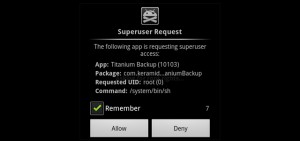
Rooting Android Device? Install These 5 Wanted Google Apps
If you're bold enough that you've taken a chance to root your Android device, then it is a must say that either you're too brave or you've a lot to…
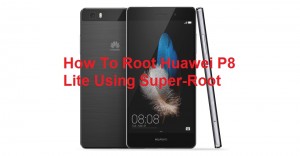
How To Root Huawei P8
Huawei P8 Root This is a quick guide how to root your P8. Please note that this is for the standard P8 only, it will NOT work on the P8…
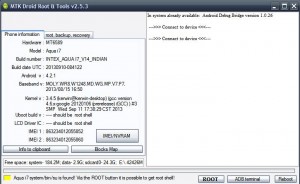
MTK droid tools download Latest Version With video guide
MTK droid tools is a simple and user friendly software developed by Mediatek Inc which you can use for root, backup stock firmware or flash your Android smartphone. As well…

How To Unlock Boot-loader, Install Custom Recovery, and Root Google Pixel C
Disclaimer: This will wipe your device. Backup anything important before you start. I mostly made this guide for selfish reasons. cheep5k8 has done a great job but some of the…
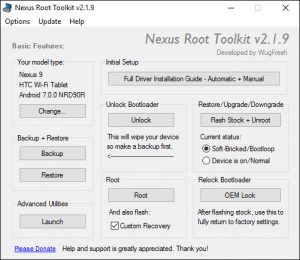
Download Nexus Root Toolkit v2.1.9
Trusted Mirrors (Alternate Download Links): Download Nexus Root Toolkit Instructions: Select the correct device and build (what you are currently running)Configure your drivers if you haven’t already using the driver…

Bypass Google Account Of Samsung Without PC With Video
Bypass Google Account Of Samsung This is 100% Work And Tested . How to Bypass Google Account 1. Turn on the power of your set 2. Connect your set to…

Samsung Galaxy S8 Root (Snapdragon) Step by Step
How To Root Samsung Galaxy S8 Root Download the SamPWND_S8_4File_Firm, the , and the Download Odin Prince Comsy and Normal Odin Extract SamPWND_S8_Firm to your desired destination (desktop works), then open Odin Prince Comsy, and place the files in…

How To Root Redmi 2 Prime Android L Safe Process
Update: Important: - Unroot before Flashing Incremental OTA updates. This guide will root your device through Stock MI Recovery(Works with TWRP also), but this is not Native Root. A new app…